
Use case · For tax advisors
Archive client chats securely.
Save agreements, notes and documents from Teams chats in the client file, complete, traceable and in your own Microsoft 365 tenant.
By novalutions · Last updated:
Benefits
Made for the firm.
Complete client file
Agreements and notes from chats end up, including attachments, where they belong.
Proof in case of dispute
Who promised what and when? Searchable exports give the answer in seconds.
Data protection under control
The export runs in your own tenant. Client data does not leave your environment.
Documents included
Inserted images and attached documents are exported too.
Also for whole firms
Several chats and large histories in one run, without an IT project.
Ready to use right away
Self-service installation, employees export their chats on their own.
Client communication has long moved to Teams
Firms increasingly use Teams for follow-up questions, appointment arrangements and the coordination of documents. Notes on receipts, deadlines or client decisions then sit in the chat, but not in the file.
For traceability this is a risk. Anyone who later has to prove what was discussed and when needs more than the recollection of the people involved.
Getting chats cleanly into the file
With the Teams Chat Exporter, employees save chat histories including attachments as an HTML file that can also be saved as a PDF for the file. The file is searchable and stays usable for good even without Microsoft 365. The export runs within your Microsoft 365 environment, client data is not sent to a third-party system.
Only what the respective person can access themselves is exported. This fits a firm's organisation, where access is regulated by responsibility anyway.
A note on retention and data protection
Whether and for how long chat content has to be retained depends on the content and on the regulations that apply to your firm. This is a professional and legal assessment that we do not replace. The Teams Chat Exporter offers the technical means to save chats as a file.
When storing the files, please also observe the data protection requirements of your client relationships.
Easy in everyday firm life
Installation is done once as self-service using a guide. After that, employees export without IT skills. The process usually takes only a few minutes, so it can be built into the closing of an engagement or case.
A typical example
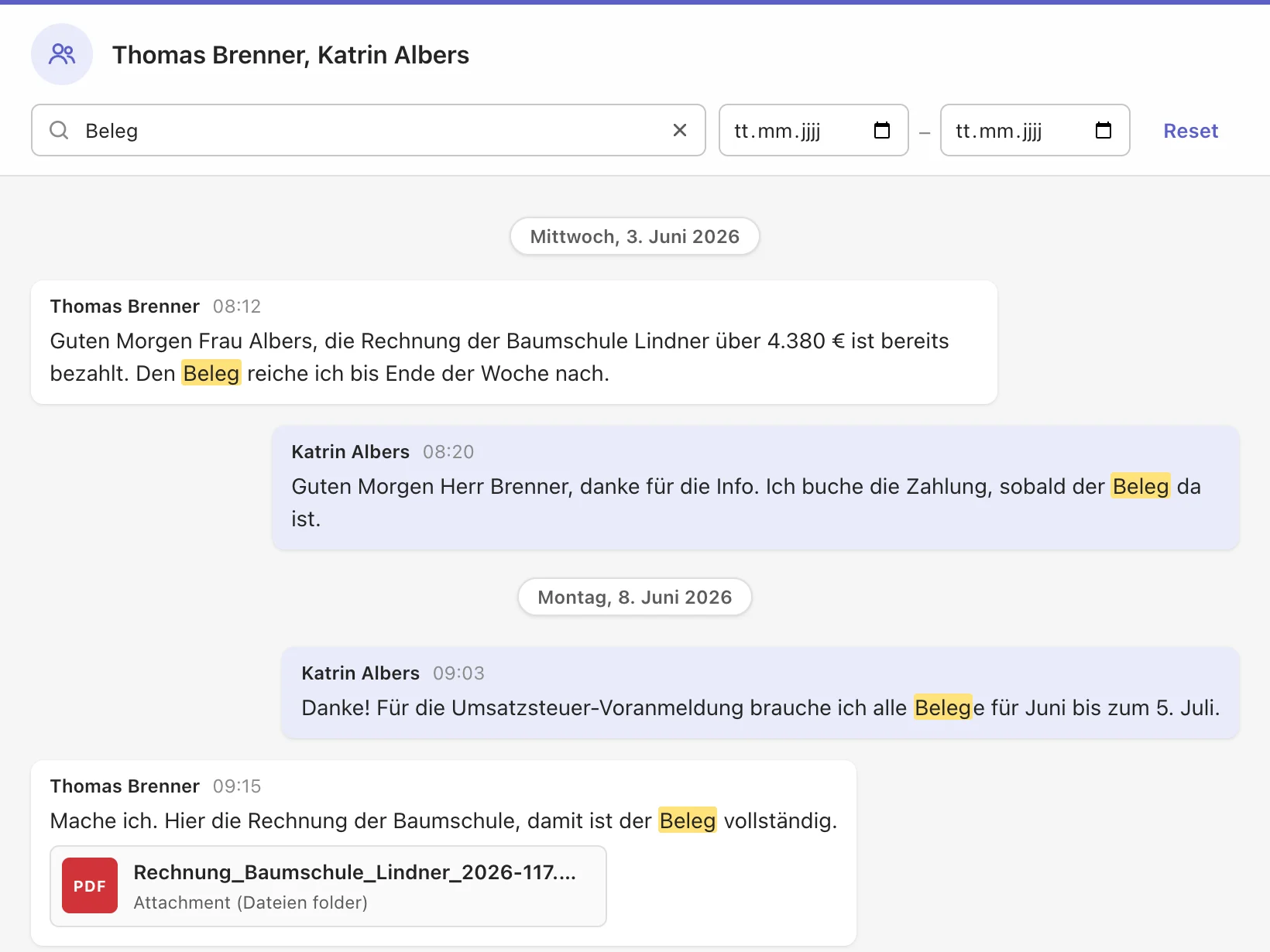
A client writes in the chat that an invoice has already been paid and the receipt will be submitted later. The responsible employee does not note this anywhere. Months later the document is needed. With an export at the end of the case, the message is in the file and can be found. The example is fictional and only serves as an illustration.
What to clarify in advance
Especially in firms it is worth defining the process once:
- Which chat content belongs in the client file
- How exports are named and stored so they can be assigned to the engagement
- Who has access to the archived chats, with a view to confidentiality obligations
- How clients are informed about the documentation of chats
In the firm
Chats that really last.
Notes and agreements with clients increasingly run through Teams. For them not to be missing from the file, a clean, traceable filing system is needed.
The Teams Chat Exporter saves chat histories including attachments within your Microsoft 365 environment. The exported files stay usable for good even without Microsoft 365.
- Complete filing in the client file
- Exported files usable for good
- Client data does not leave your tenant
Documentation
How it works in detail
The documentation is currently available in German only.
FAQ
Frequently asked questions
Can exported client chats be used without Microsoft 365?
Yes. The exported file works without Microsoft 365 and stays usable for good.
Are attachments and documents exported too?
Yes. Inserted images and attached files are copied into a folder next to the export file. Files that were only linked in the chat stay as a link.
Do we need the IT department for this?
Only once for the installation: IT uploads the package to the app catalog and approves access to Microsoft Graph. This takes about 20 minutes and is documented step by step. After that, employees export their chats themselves.
How long does an export take?
An export usually takes only a few minutes, even for extensive chat histories.
How much does the Teams Chat Exporter cost?
A one-time €490 excl. VAT (up to 25 Microsoft accounts), €1,490 (up to 99) and from €2,490 for 100 accounts or more. There are no subscription costs and updates are free.
You may also be interested in
Try the Teams Chat Exporter for free
Request the trial version and export your chats in your own Microsoft 365 environment.
See for yourself.
Arrange a no-obligation product demo or contact us directly by phone or e-mail. For enterprise customers a free trial version is also available.
- 0221 - 29245920
- info@novalutions.de
- Request enterprise trial
- Luxemburger Str. 150, Cologne