
Export Microsoft Teams chats and keep them for good.
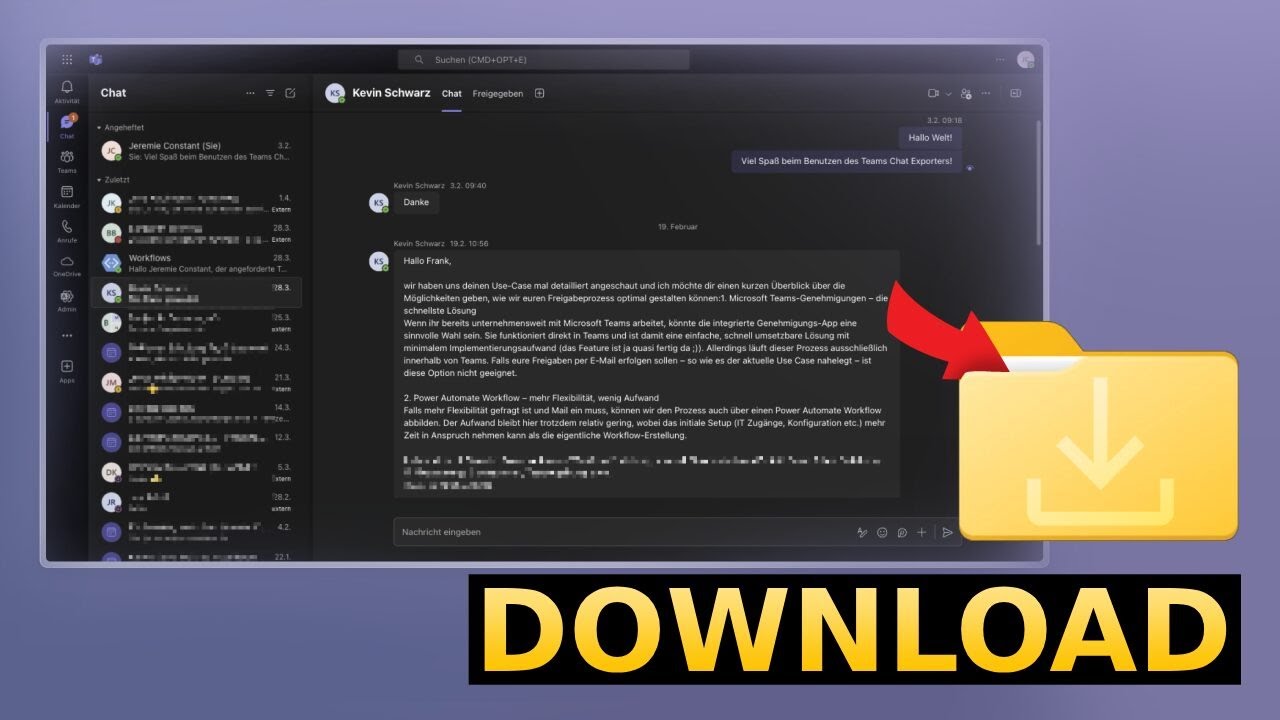
Save one-to-one chats, group chats, meeting chats and channels, including images and attachments, as an HTML file, as a PDF on request. You can open and search the files later without Microsoft Teams or Microsoft 365.
The export runs in your own Microsoft 365 environment. Your chat data is not sent to external services.
- Works right inside Microsoft Teams
- No additional software needed on devices
- One-time purchase, no subscription
Features
Everything your compliance team expects from an export tool.
Privacy
Runs entirely in your tenant
The export runs completely in your own Microsoft 365 environment. No third-party system processes your data. The exported file works without Microsoft 365 afterwards and stays usable for good.
Export formats
HTML with built-in search
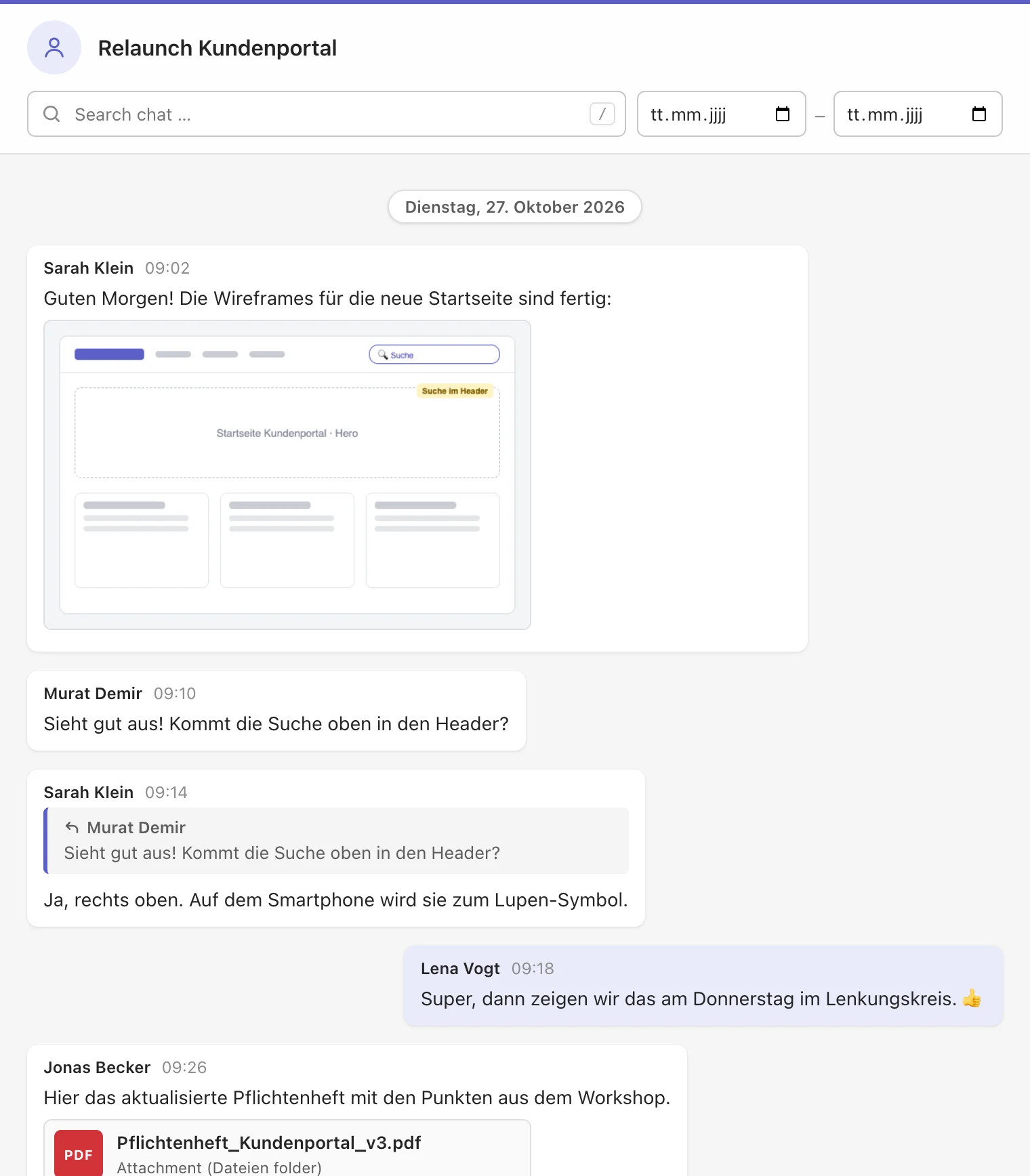
Every export is a self-contained HTML file with search and date filter. It opens offline in any browser and can be saved as a PDF with its own print layout.
Setup
Installed in 20 minutes
You upload the package to your tenant's app catalog, approve the API access and release the app in Teams. Every step is described in the documentation. After that, employees export their chats themselves.
Meetings
Export meeting attendees
You export who took part in a meeting and how long each person was present. This proves attendance at trainings, mandatory meetings or billable meetings.
Archive
Search all exports in one place
The built-in archive reads all exports from OneDrive, shows them like in Teams and searches all chats at once, even after a tenant move.
Attachments & images included
Bulk export & large chat histories
Fully searchable
Pricing
Pay once. Use forever.
Fair pricing by tenant size — no subscription costs, no hidden fees.
Teams Chat Exporter "S"
Pay once, use forever
- Up to 25 Microsoft accounts²
- Export an unlimited number of chats
- Export all attachments
- Export as HTML, printable as PDF
- Archive with search across all chats
- Bulk export
- Self-service installation with guide¹
- Free updates
Teams Chat Exporter "L"
Pay once, use forever
Everything in “S”, plus:
- Up to 99 Microsoft accounts²
- 30 minutes of installation support (remote)
- Support by e-mail
- Attendance reports for meetings
Teams Chat Exporter "Enterprise"
Individual quote on request
Everything in “L”, plus:
- From 100 Microsoft accounts²
- Enterprise support allowance³
- Layout of the export files according to your corporate design
- Priority for feature requests
¹ Installation requires a Microsoft 365 tenant with SharePoint Online, OneDrive and Teams (e.g. Business Basic) and administrative permissions: SharePoint administrator for the app catalog and Global Administrator to approve the Microsoft Graph permissions. By purchasing, the user confirms that they have the necessary rights. More in our terms and conditions (German).
² The number of Microsoft accounts is measured by the number of active Microsoft accounts in the tenant (excluding guest accounts).
³ Includes installation support (remote), regular updates and access to a dedicated support e-mail address. Use is subject to a fair-use policy.
FAQ
Questions & answers
What is the Teams Chat Exporter?
The Teams Chat Exporter is a tool for exporting, saving and keeping Microsoft Teams chats and channel conversations for good. It is installed as a SharePoint Framework solution in the app catalog of your Microsoft 365 tenant and is then available to employees as a Teams app or on SharePoint pages — they export all chats they take part in on their own.
Which export formats are available?
Every export is an HTML file with its own search and date filter, plus a folder with images and attachments. You save it as a PDF with the print function of your browser; the print layout hides the search and buttons.
Are attachments and files included in the export?
Yes. Attached files are copied into a “Dateien” folder next to the export file. Files that were only linked in the chat stay as a link.
Are all images from the chat exported?
Yes. Inserted images are saved as well and shown in the export file at the right place in the history.
Do I need special IT skills to use the Teams Chat Exporter?
No. Installation is self-service based on the documentation (German): your IT uploads the package to the app catalog, a Global Administrator approves API access for Microsoft Graph, and the license key is stored once as a tenant property. A Microsoft 365 tenant with SharePoint Online, OneDrive and Teams is required, e.g. Business Basic. The actual export afterwards needs no IT skills.
How long does an export of Teams chats take?
An export usually takes only a few minutes, even for extensive chat histories. The archive is stored in the OneDrive folder of the respective employee and can be saved from there for good.
Does my data stay in the Microsoft cloud after the export?
The export file is stored in the OneDrive of the person who exports, i.e. in your own Microsoft 365 tenant. The file itself has no connection to Microsoft 365: you can download it, move it to your own storage and open it without Microsoft 365.
May I customise the Teams Chat Exporter?
The technical documentation is publicly available at doku.teamschatexporter.de (German). Customisations beyond the standard scope can be discussed and quoted separately — contact us via the support e-mail address.
How does support for the Teams Chat Exporter work?
Package “S” is set up as self-service using an installation guide. From package “L”, 30 minutes of installation support (remote) and support by e-mail are included. Enterprise customers also get a support allowance under a fair-use policy.
Is there a right of return?
For details on returns and withdrawal please see our terms and conditions (German). Before buying, a free trial version is also available so you can try the exporter without obligation.
See for yourself.
Arrange a no-obligation product demo or contact us directly by phone or e-mail. For enterprise customers a free trial version is also available.
- 0221 - 29245920
- info@novalutions.de
- Request enterprise trial
- Luxemburger Str. 150, Cologne