
Use case · For agencies
Document projects properly.
Save the Teams communication of your projects in an audit-proof way and hand it over at the end of a project without extra effort.
By novalutions · Last updated:
Benefits
Made for everyday agency work.
Keep project communication safe
Agreements with clients can be proven at any time, even years after the project ends.
Clean project close-out
Hand over chats and channels including attachments as an HTML file to the project file, as a PDF if needed.
Data stays with the client
The export runs in the Microsoft 365 tenant, without external cloud services.
No IT effort
Self-service installation. Teams export their chats without an IT project.
Many chats at once
Several chats and whole project channels in one run, even for large histories.
Easy to find again
Searchable exports for follow-up questions, additions and disputes.
When decisions are made in the chat
In agencies, a large part of project coordination runs through Teams: approvals, rounds of revisions, scope changes, agreements on budget and deadlines. Many of these decisions are never copied into a project management tool or an e-mail. They only exist in the chat.
At the latest when a client asks a follow-up question, an invoice is disputed or the team changes, this becomes a problem. It does not help much if the decisive message is buried somewhere in a long history or is only accessible to a few people.
How the Teams Chat Exporter helps
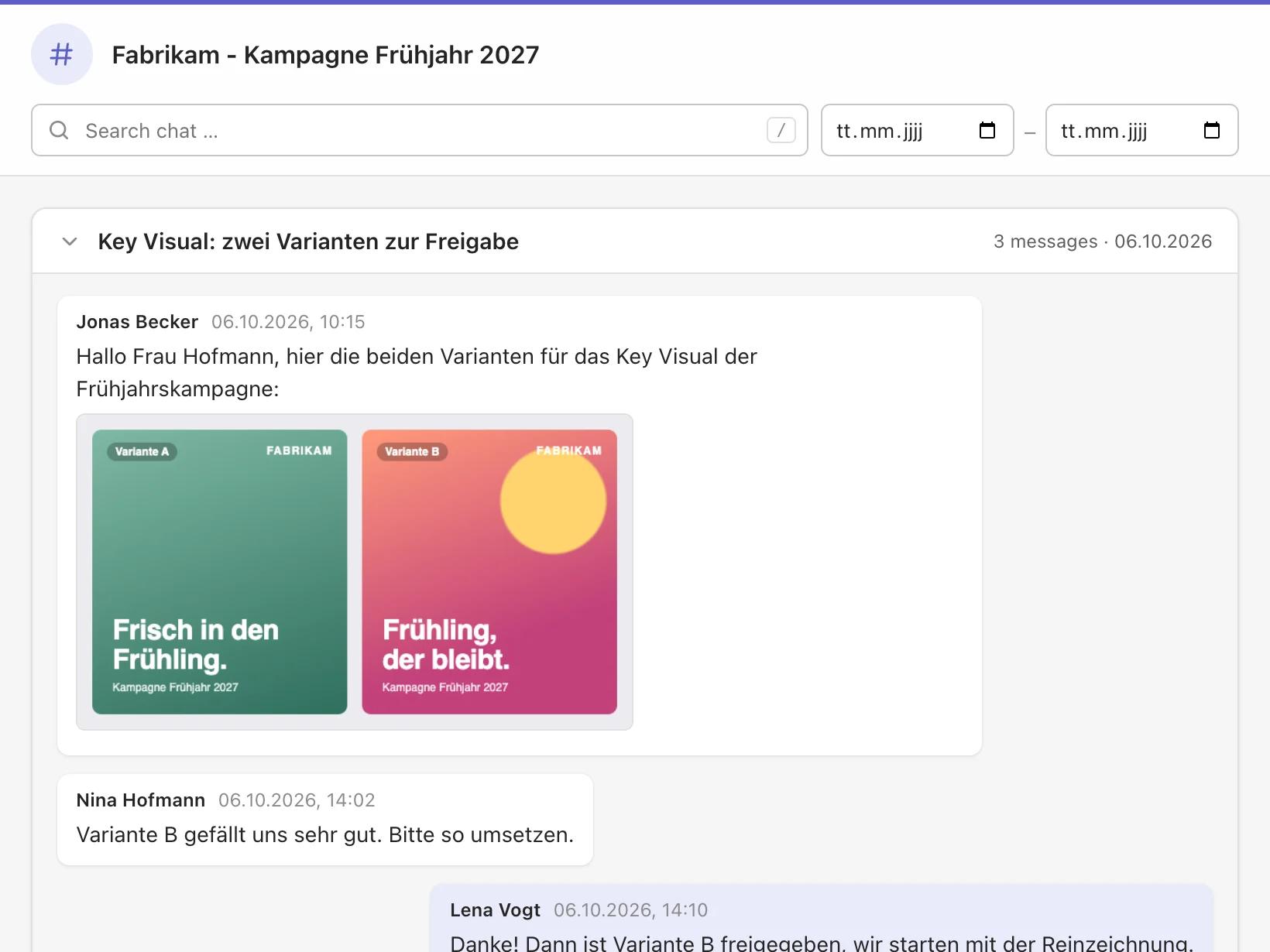
The Teams Chat Exporter saves chats and channels as a readable HTML file with its own search that can also be saved as a PDF. Inserted images and attached files are exported too, so the context is preserved. The archive is stored in the OneDrive of the person who exports and can be moved into the project file.
Because the export runs entirely in your own Microsoft 365 tenant, no client data leaves your environment. For agencies with confidentiality agreements this is an important point.
Three steps to the project file
The process is deliberately simple:
- The project team selects the relevant chats and channels and starts the export in Teams
- The export is stored as an HTML file with attachments in OneDrive, usually after a few minutes
- The archive moves into the project file or is handed over to the client
Also for large projects
For extensive projects, several chats and whole channels can be saved in one run, even for very large histories. If a project continues, the app adds new messages to existing exports instead of exporting everything again. This way, closing a project does not turn into tedious work.
A typical example
Imagine a campaign that runs for three months. In the chat with the client, the target group is adjusted, a budget range is confirmed and an additional variant is approved. At the end, the client asks why this variant was not part of the original offer. With an export of the project chats, the agreement can be traced including date and participants, without searching the history message by message. The example is fictional and only serves as an illustration.
What to clarify in advance
A few agreements make the export run smoothly in everyday project work:
- Which chats belong in the project file: client and project chats, not private conversations
- Where the archive is stored and who may access it
- What your contracts with the client say about retaining and handing over communication
- Who starts the export at the end of the project
In everyday project work
Less searching, more proof.
In client projects, decisions often happen on the side in the Teams chat: an approval, a change, an agreement on budget. Anyone who has to prove them later usually searches for a long time.
With the Teams Chat Exporter you save this communication completely at the end of the project and store it where your team can find it again, without an IT project and without data leaving your tenant.
- Approvals and agreements provable at any time
- Hand-over to clients in a few clicks
- Export by the project teams themselves
Documentation
How it works in detail
The documentation is currently available in German only.
FAQ
Frequently asked questions
Can I use the export for several client projects at once?
Yes. The Teams Chat Exporter supports bulk export, so several chats can be saved in one run, even for large histories.
Does my clients' data stay in my tenant?
Yes. The export runs entirely in your own Microsoft 365 environment. No third-party system processes the data.
Can I hand the chats over to the client?
Yes. Every export is an HTML file with a folder for images and attachments and can be opened without Microsoft 365. You can save it as a PDF with the browser's print function if needed.
How long does an export take?
An export usually takes only a few minutes, even for extensive chat histories.
How much does the Teams Chat Exporter cost?
A one-time €490 excl. VAT (up to 25 Microsoft accounts), €1,490 (up to 99) and from €2,490 for 100 accounts or more. There are no subscription costs and updates are free.
You may also be interested in
Try the Teams Chat Exporter for free
Request the trial version and export your chats in your own Microsoft 365 environment.
See for yourself.
Arrange a no-obligation product demo or contact us directly by phone or e-mail. For enterprise customers a free trial version is also available.
- 0221 - 29245920
- info@novalutions.de
- Request enterprise trial
- Luxemburger Str. 150, Cologne