
Archive Teams chats.
Archive Teams chats in a few minutes with the Teams Chat Exporter. You save chats and channels as a PDF or HTML file with images and attachments. An archive with search covers all exports together.
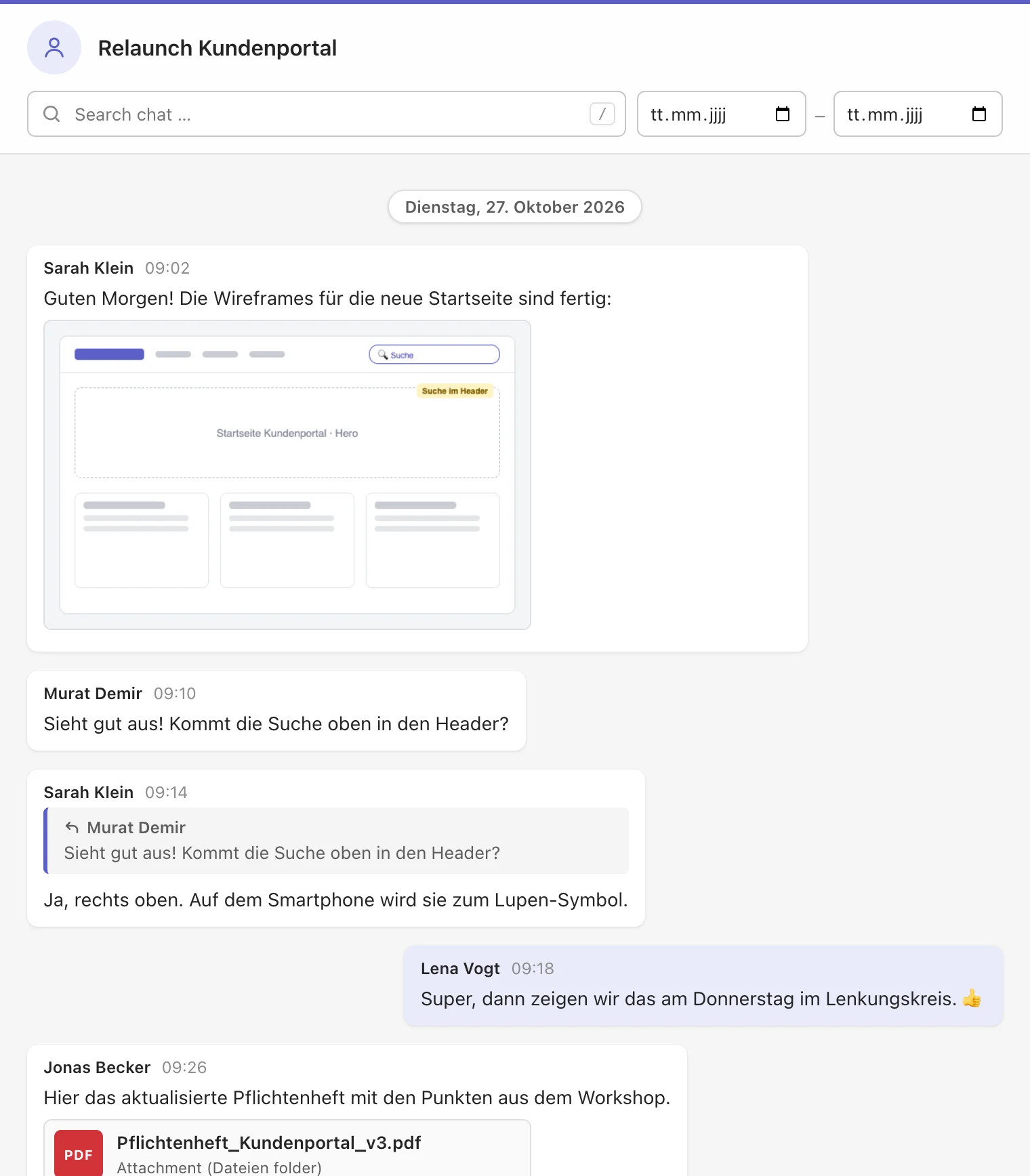
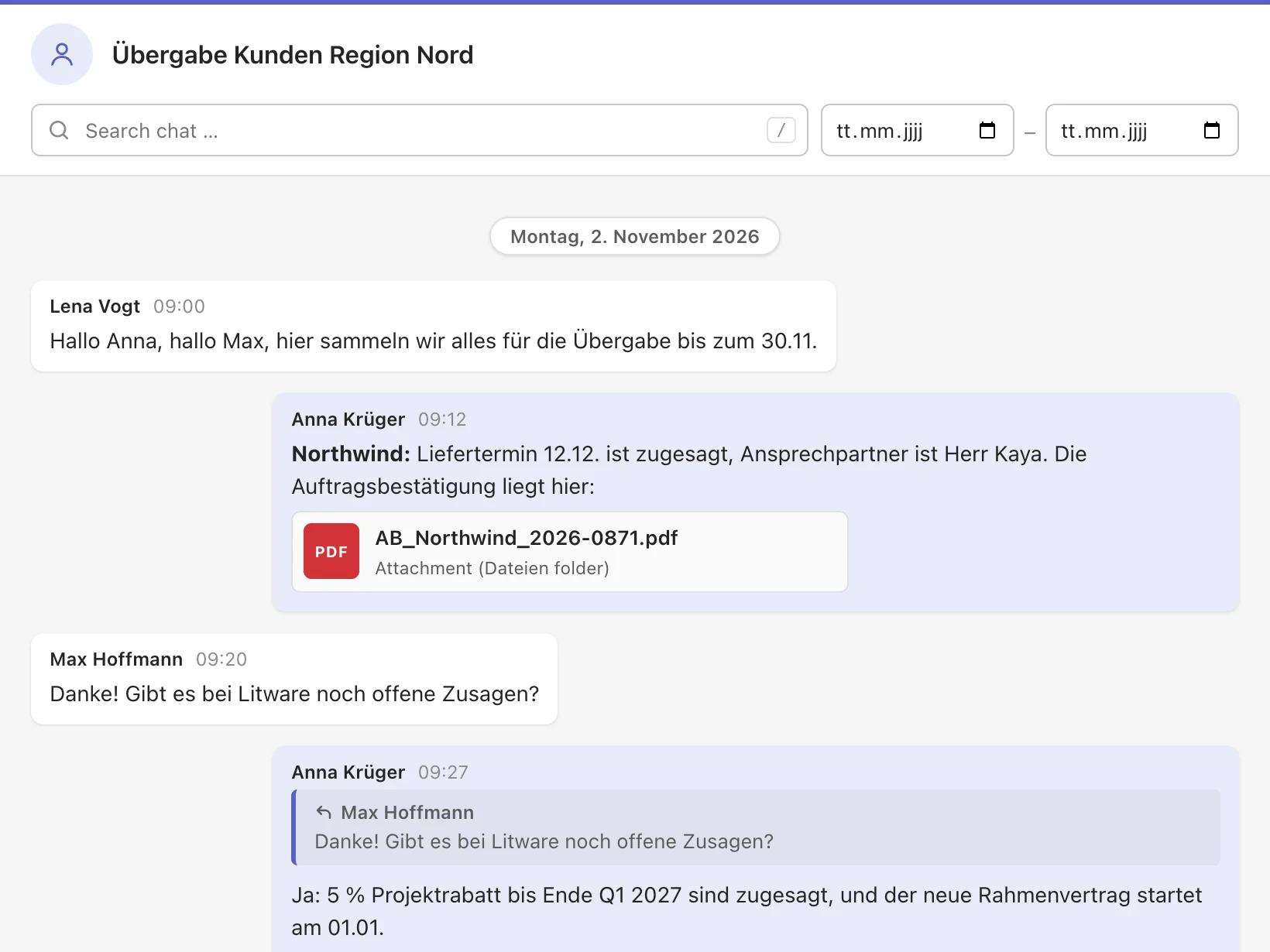
What gets archived
Messages
Every message with timestamp and sender.
Replies
Replies stay in context with the original message.
Images
Inserted images stay visible in the history.
Files
Attached files are stored in a folder next to the export.
How chat archiving works
Employees archive their chats themselves, directly in Teams.
Several chats and channels can be saved in one run.
- Select chats and channels and start the export
- The HTML file is usually in OneDrive after a few minutes
- Move the archive into SharePoint or a document management system
- Later, the app adds new messages instead of exporting everything again
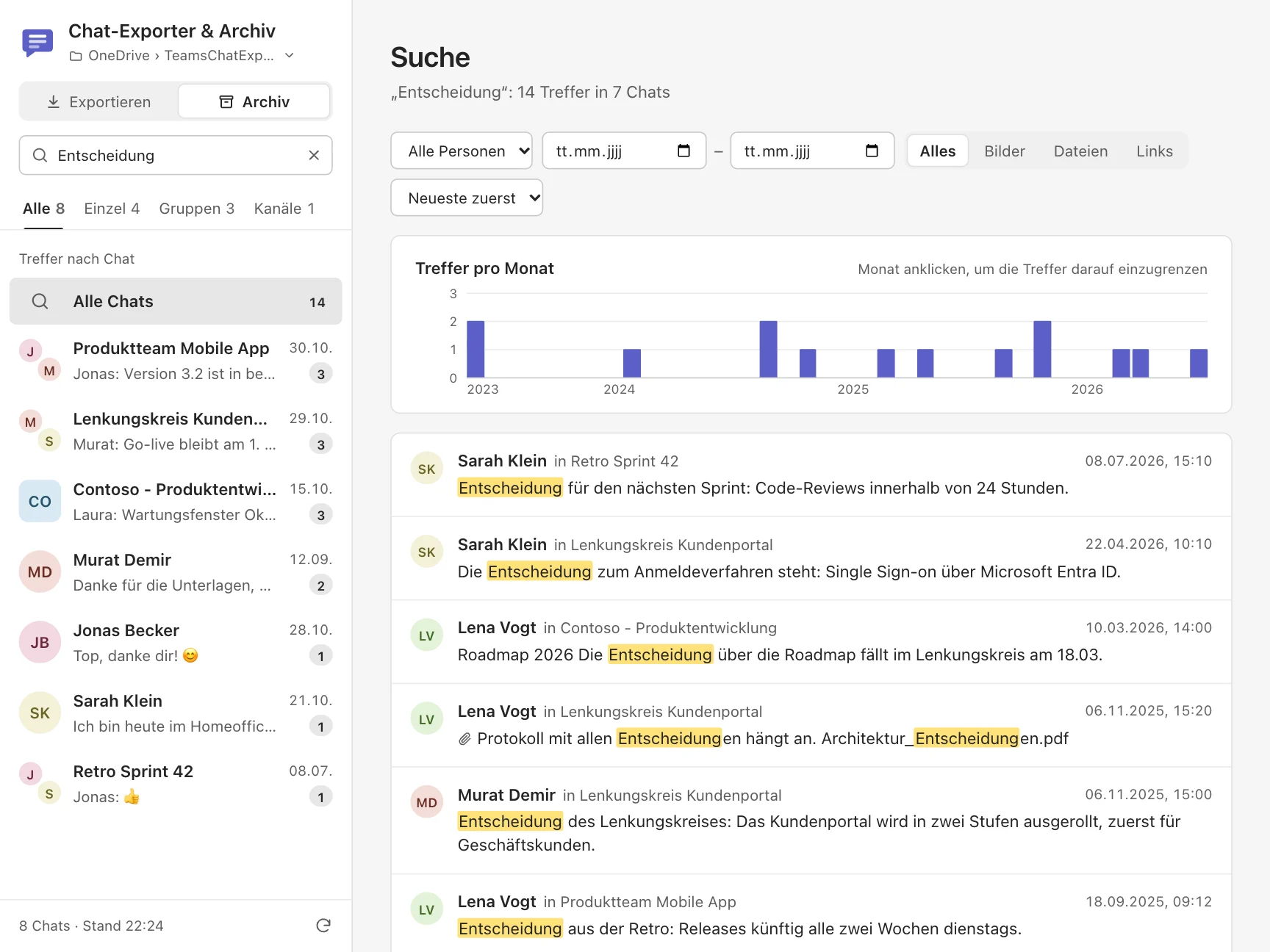
Search Teams chats
Every HTML file opens in any browser and has its own search.
With the browser's print function you save an export as a PDF.
The archive in the app searches all exports together, filtered by person, period, images or files.
This also works after a tenant move, when the chats no longer exist in Teams.
The data stays in your tenant
The export runs entirely in your Microsoft 365 environment, without a third-party system.
Only content the person can access themselves is exported.
IT installs the app once, in about 20 minutes.
Documentation
How it works in detail
The documentation is currently available in German only.

Questions about archiving Teams chats?
In 30 minutes I show you the Teams Chat Exporter and answer your questions. The call is free and without obligation.
Jérémie Constant · Product developer and point of contact
Book a callFAQ
Frequently asked questions
Can you archive Teams chats?
Yes. With the Teams Chat Exporter, employees save chats and channels as an HTML file with images and attachments.
What does an archived chat contain?
Messages with timestamp and sender, replies, inserted images and attached files. Reactions and meeting recordings are not included.
In which formats is the archive saved?
As an HTML file with its own search and a folder for images and attachments. With the browser's print function you save any export as a PDF.
Do I have to export a chat from scratch every time?
No. The app adds new and changed messages to existing exports. Messages deleted in Teams stay in the export.
Where is the archive stored?
In the OneDrive of the person who exports, within your Microsoft 365 tenant. From there you move it into your own storage.
Do I need a separate archive system?
No. The files can be moved into SharePoint or your document management system.
Do chats have to be archived by law?
That depends on the content and on the regulations that apply to your company. We do not replace this legal assessment. The Teams Chat Exporter offers the technical means to save chats.
You may also be interested in
Try the Teams Chat Exporter for free
Request the trial version and export your chats in your own Microsoft 365 environment.
See for yourself.
Arrange a no-obligation product demo or contact us directly by phone or e-mail. For enterprise customers a free trial version is also available.
- 0221 - 29245920
- info@novalutions.de
- Request enterprise trial
- Luxemburger Str. 150, Cologne